

Download Cute Notes Notebook Organize APK – personal organizer, note-taking, task management, smartphone utility
Overview
Cute Notes Notebook & Organize is a mobile application designed to support users in managing their daily tasks and personal information efficiently. It serves as a digital notebook and planner, helping individuals maintain organization in both personal and professional contexts. The app is particularly suited for users navigating busy schedules, offering tools to track appointments, set reminders, and manage to-do lists. Its intuitive interface makes it accessible to users of all experience levels, including those who have used similar tools like Day Organizer.
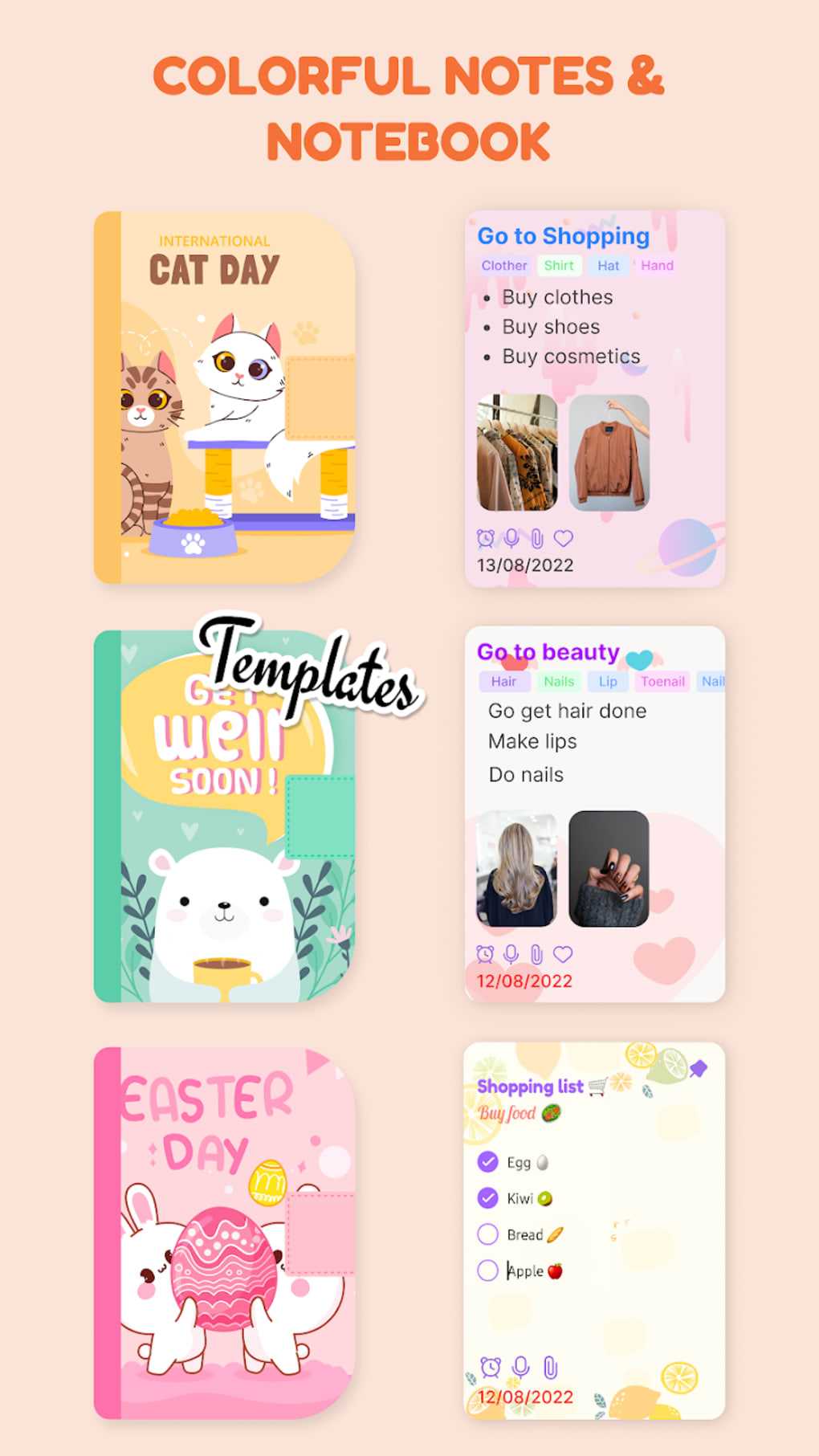
Target users include students, professionals, and everyday smartphone users who rely on digital tools to stay on top of commitments. The application supports note creation with rich customization options, including background themes and digital stickers, enabling users to personalize their experience. It also allows for file attachments and audio recordings, which can be useful during meetings or for capturing spontaneous ideas. While primarily intended for personal use, the app’s functionality extends to workplace scenarios, where quick note-taking and information sharing are essential.
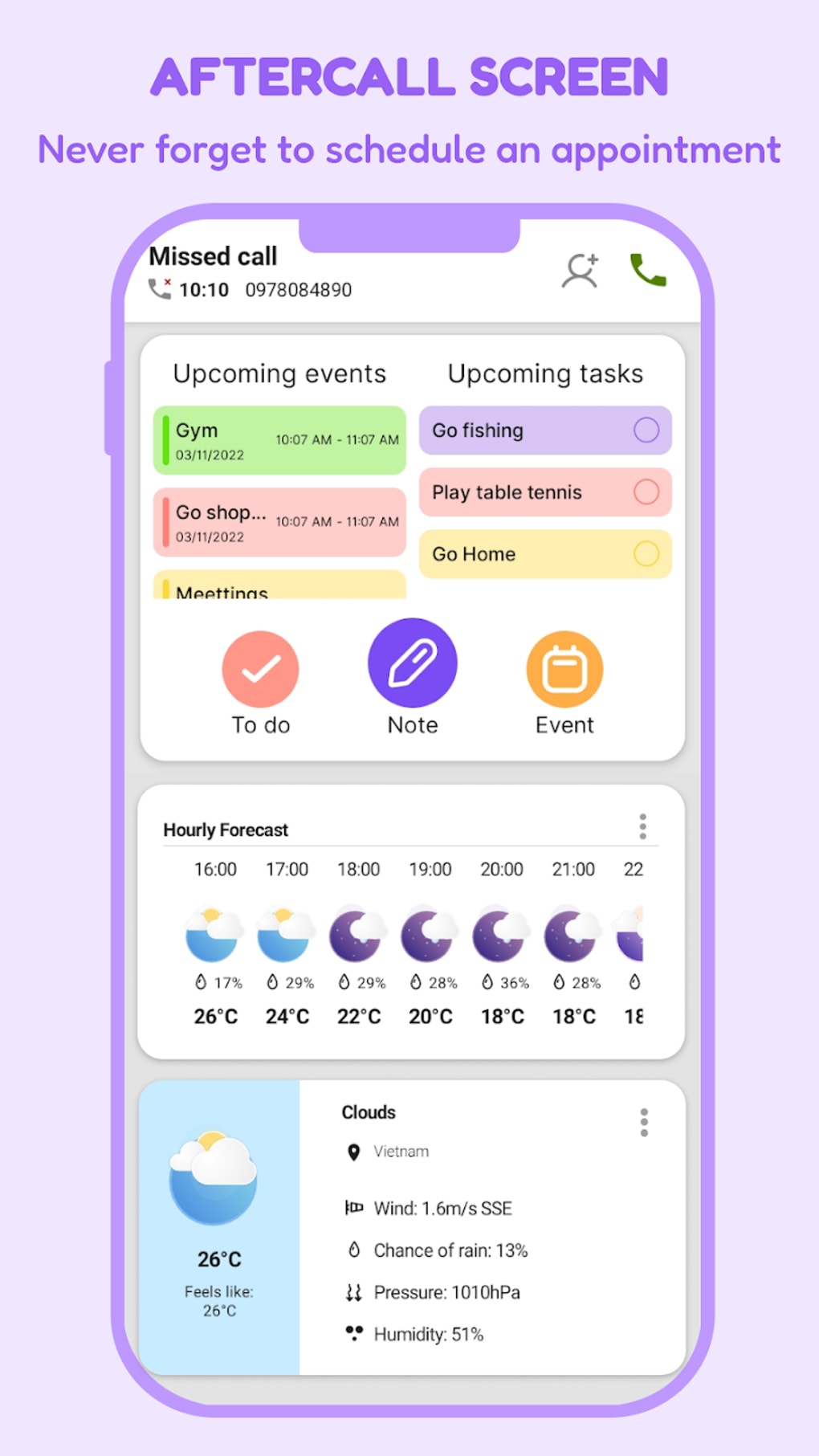
Syncing with Google Calendar is supported, allowing users to align their digital tasks with existing calendar events. The app also includes automation features, such as automatic note access after a phone call, and the ability to monitor weather forecasts—adding a practical layer to daily planning. Despite its feature set, the developer did not provide additional details about the app’s development background or specific technical limitations.
Key Features & Capabilities
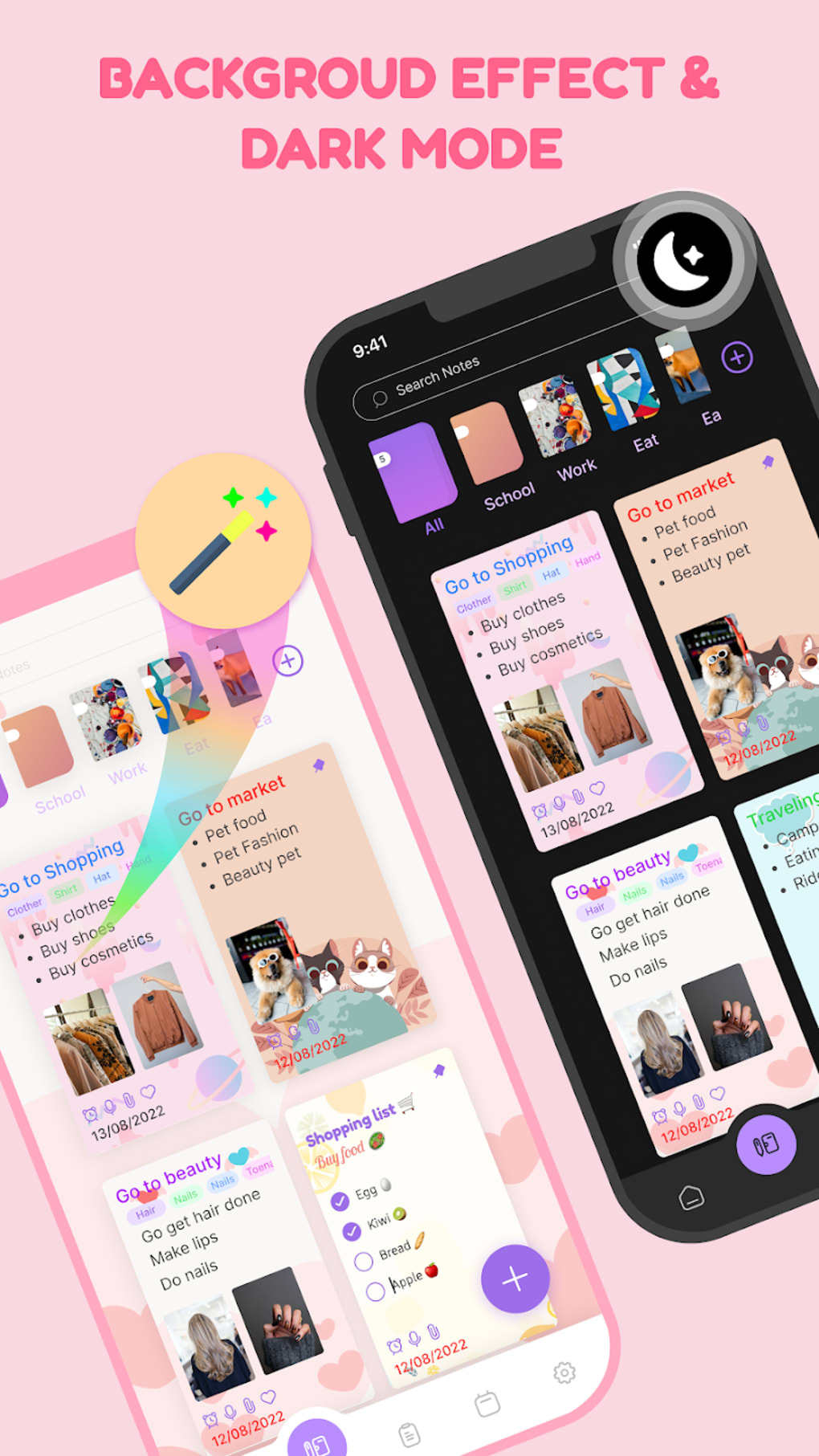
- Personalized Note-Taking: Users can create and customize notes using over 100 unique backgrounds and more than 500 digital stickers, allowing for visual distinction and personal expression.
- Task and Reminder Management: Built-in tools enable users to set reminders, track incomplete tasks, and color-code obligations based on urgency or importance.
- File and Audio Attachments: Notes can include file attachments and audio recordings, making it ideal for capturing meeting discussions or voice memos.
- Calendar Integration: Seamless synchronization with Google Calendar helps users align their to-do lists and notes with scheduled events.
- Automation Features: The app can automatically access notes after a phone call, streamlining workflow for users who frequently switch between communication and documentation.
- Weather Integration: Real-time weather forecast tracking is available, providing contextual awareness for daily planning.
These features collectively support a streamlined workflow for users who need to balance multiple responsibilities. For example, a professional can record a meeting note with an audio clip, attach relevant documents, and set a follow-up reminder—all within the same interface. A student might use color-coded tags to prioritize study tasks and apply themed backgrounds to different subjects, improving focus and retention. The combination of personalization and practical tools makes the app adaptable across various use cases.
User Interface, Workflow & Performance
The user interface of Cute Notes Notebook & Organize is described as clean and intuitive, emphasizing ease of navigation and accessibility. Users can expect a straightforward layout with clearly labeled sections for notes, tasks, and settings. The design prioritizes functionality without sacrificing visual appeal, which contributes to a smooth user experience.
Workflow efficiency is enhanced by features such as quick note creation, drag-and-drop customization, and automatic note retrieval after phone calls. The app appears to support rapid input and organization, allowing users to capture thoughts and tasks in real time. However, exact performance details were not specified by the developer. No information was provided about CPU or RAM usage, so users should expect general mobile application behavior patterns.
Stability and responsiveness are likely consistent with typical Android applications, but no official benchmarks or crash reports were shared. The developer did not provide additional system requirements or performance testing data. Users should monitor app behavior during extended use to assess responsiveness and battery impact, especially when using audio recording or background sync features.
Compatibility & System Requirements
Cute Notes Notebook & Organize is designed for Android smartphones and is distributed as an APK file. The application is compatible with devices running Android OS, though the specific version requirements were not listed. Installation size information is also not provided, so users should expect variable storage needs depending on usage and media content.
Exact system requirements were not listed. The developer did not specify minimum RAM, processor speed, or storage space needed for optimal performance. Users should ensure their device meets general Android app standards, including sufficient internal memory and a stable internet connection for calendar sync and cloud backup if applicable.
Pros and Cons
Pros
- Intuitive, user-friendly interface suitable for all experience levels
- Extensive personalization with over 100 backgrounds and 500+ stickers
- Supports audio recordings and file attachments for richer note content
- Integration with Google Calendar enhances task and event coordination
- Automation features improve workflow efficiency (e.g., auto-note access post-call)
- Includes weather forecast tracking for contextual planning
Cons
- Specific system requirements were not disclosed
- No information on resource usage (CPU, RAM, battery)
- Performance details and stability data not provided
- APK distribution may require manual installation, limiting accessibility for some users
- Developer background and support channels not specified
FAQ Section
Is Cute Notes Notebook & Organize compatible with all Android devices?
Compatibility information is limited. The app is designed for Android smartphones, but specific OS version requirements were not provided. Users should ensure their device supports APK installation and meets general Android app standards.
Is the app safe to download and use?
The app is distributed as an APK file, which may require enabling installation from unknown sources. Users should only download from trusted sources to reduce security risks. No official security certifications or third-party audits were mentioned.
Does the app require an internet connection?
While some features like Google Calendar sync and weather updates require an internet connection, basic note-taking and local storage functions can be used offline. Users can create and manage notes without connectivity.
Can I update the app automatically?
Automatic update functionality depends on the source from which the APK is downloaded. If installed via a third-party platform, updates may need to be manually checked and installed. The developer did not specify update mechanisms.
Is there a license or subscription fee?
Information about pricing or licensing was not provided. The app may be offered for free or with in-app purchases, but no details were shared. Users should review the download source for pricing terms.
Final Thoughts + CTA
Cute Notes Notebook & Organize stands out as a practical and flexible tool for users seeking a reliable digital notebook with strong customization and automation features. Its clean interface, combined with robust functionality such as audio recording, file attachments, and Google Calendar integration, makes it a valuable asset for both personal and professional use. The inclusion of weather tracking and post-call note access adds unique value beyond standard note-taking apps.
While detailed system requirements and performance data are not available, the app’s intuitive design and feature set suggest it is well-suited for users who prioritize organization and personalization. Those who rely on smartphones to manage daily tasks will benefit from its ease of use and workflow enhancements.
Download Cute Notes Notebook Organize APK now and take control of your schedule with a powerful, customizable digital assistant.





.png)

